AI Rap Video Generator: Turn Any Photo Into Rap
Image to Rap Video turns one clear portrait into a short vertical performance with the stage, camera movement and rap-style audio built into the template. No filming, editing or custom lyrics.
Create your video
1Your photo
Best results: one person, facing the camera, even lighting, head and shoulders visible. Avoid sunglasses, masks and heavy filters.
2Format
Original: Charlie Wilson, NPR Music Tiny Desk Concert. AI versions are community-made samples, not output of this site.
The catch
Shooting a rap clip yourself takes more than a phone
You need a usable setup
A clean background, steady camera and even lighting can take longer to arrange than the clip itself.
Performing on camera is awkward
Not everyone wants to lip-sync or rap on camera, especially for a quick joke or an inside reference.
Editing adds another job
Trimming, captions, aspect ratio and export settings can turn a ten-second idea into an afternoon of work.
Side by side
Making a photo rap video vs. shooting it yourself
| Shooting it yourself | With Image to Rap Video |
|---|---|
| Find a stage, light and camera position | Use one clear photo |
| Perform or lip-sync on camera | The template supplies the performance |
| Edit around the beat | Render a 12-second clip |
| Export and check the final crop | Download a vertical MP4 |
How it works
How to make an AI Rap Video in 3 steps
- 1
Upload one clear photo
One person, facing the camera, in even light. JPG, PNG or WebP up to 10 MB.
- 2
Use the fixed format
Every render is a 12-second vertical clip. One credit covers one second.
- 3
Generate and download
The render finishes in a few minutes. Download the vertical MP4 without a watermark.
Made with Image to Rap Video
One photo in, one rap-performance clip out
No camera crew and no editing timeline. Upload a clear portrait and the model follows the 12-second performance template's motion, framing and audio.
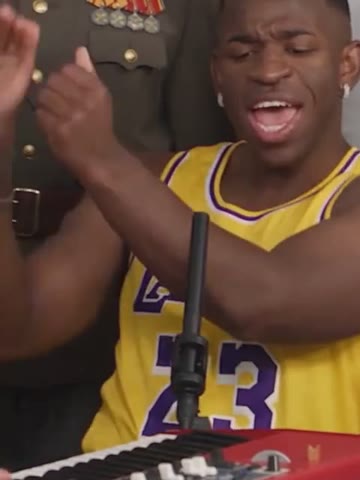
Generated clip
About the trend
What is an AI Rap Video generator?
AI Rap Video is the short-form category behind photo-to-performance clips. People often search for a Rap Video from Photo when they want a compact rap-performance visual, and the current wave is closely tied to Hotel Lobby AI and Migos AI.
Image to Rap Video is a narrower photo-to-performance tool. Upload one portrait and the model follows a fixed performance template, keeping the stage, camera movement and audio while changing the performer. The first version does not write custom lyrics, clone a real voice or put two people in one clip.
Read the full AI Rap Video trend guideFeatures
Everything you need for an AI Rap Video clip
One photo is enough
A single clear portrait is the input. You do not need to record a song or install an editing app.
Template-led motion
The render follows the performance, framing and timing of the selected source clip.
Vertical and ready to post
Exports in 9:16 so it drops straight into Reels, Shorts or TikTok.
12-second format
Every render uses the same fixed-length vertical template, so pricing and output are predictable.
Clear limits
No custom lyrics, song upload, voice cloning or two-person input in this version. The scene is a fixed performance template.
Private by default
Uploads are stored privately, used only for your render and deleted automatically 7 days after upload.
Fair billing
Credits never expire. If a render fails, the credits go straight back to your balance.
Ideas
What people make with it
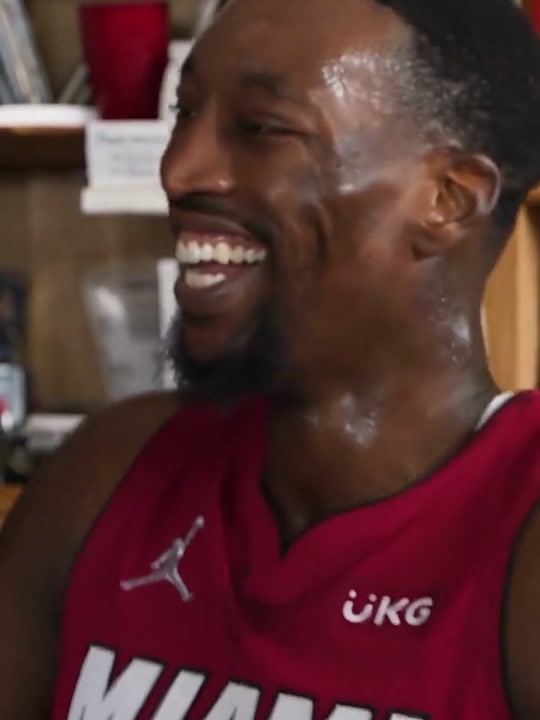
A reaction for the group chat
Turn a friend’s approved portrait into a short rap-performance joke and send the MP4 to the thread.
Try it with your photo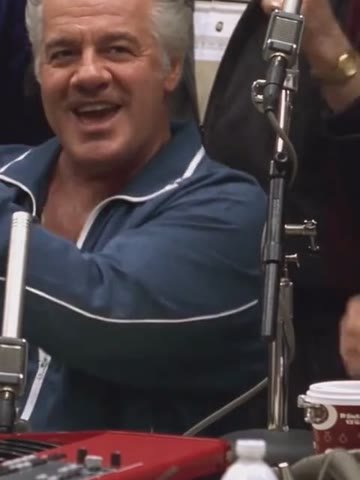
A creator intro
Use a clean portrait as a fast visual hook for a short-form video without booking a studio.
Try it with your photoA birthday or roast card
With permission, turn a birthday photo into a playful performance clip instead of another text message.
Try it with your photoPricing
Pay once, use whenever
Each 12-second video costs 12 credits. Buy a one-time pack; no subscription and no expiry.
Starter
One 12-second video
$9.90
12 credits
Makes 1 × 12s video
- Credits never expire
- 12-second vertical video
- HD MP4 download, no watermark
- Automatic refund on failed renders
Creator
Three 12-second videos
$19.90
36 credits
Makes 3 × 12s videos
- Credits never expire
- 12-second vertical video
- HD MP4 download, no watermark
- Automatic refund on failed renders
Studio
Six 12-second videos
$29.90
72 credits
Makes 6 × 12s videos
- Credits never expire
- 12-second vertical video
- HD MP4 download, no watermark
- Automatic refund on failed renders
Prices in USD. Taxes are calculated at checkout by our payment partner.
What is Image to Rap Video?
Image to Rap Video is a photo-to-performance tool: one clear portrait becomes a short vertical rap-performance video using a fixed performance template.
How the AI rap video trend developedWhich photo works best?
A recent photo of one person facing the camera, with even light and the head and shoulders in frame. Group shots, sunglasses and strong filters lower the quality.
Photo requirements and troubleshootingCan I write custom lyrics or upload my own song?
Not in this first version. The render uses a fixed performance template and its existing audio. It does not generate custom lyrics, clone a voice or accept a separate song upload.
Compare a short rap clip with a full music videoIs this the original Hotel Lobby or Migos footage?
No. Hotel Lobby AI and Migos AI are trend names, not official products. This site is independent and is not affiliated with those artists or apps; the performance template is separate from those memes.
Understand the Migos AI labelCan I put two people in the video?
Not currently. The workflow accepts one portrait per render. A two-person duo workflow would need a different template and consent flow.
How long does a render take?
Most videos finish in 2–8 minutes depending on queue. You can close the page; finished videos wait in My videos.
How do credits work?
Each 12-second video costs 12 credits. Credits are bought in packs, never expire and are refunded automatically if a render fails.
How to compare AI rap video pricesCan I use someone else’s photo?
Only with their permission, and never photos of minors, celebrities or public figures. Accounts that break this rule are closed.
What happens to my photos?
Uploads are private, used only to make your video and deleted automatically 7 days after upload. Finished videos are kept for 30 days after they finish. Deleting your account removes everything right away.
Turn one portrait into a short rap-performance video
Upload a clear photo, generate a 12-second vertical video and download the MP4.
Create my rap video · $9.90+